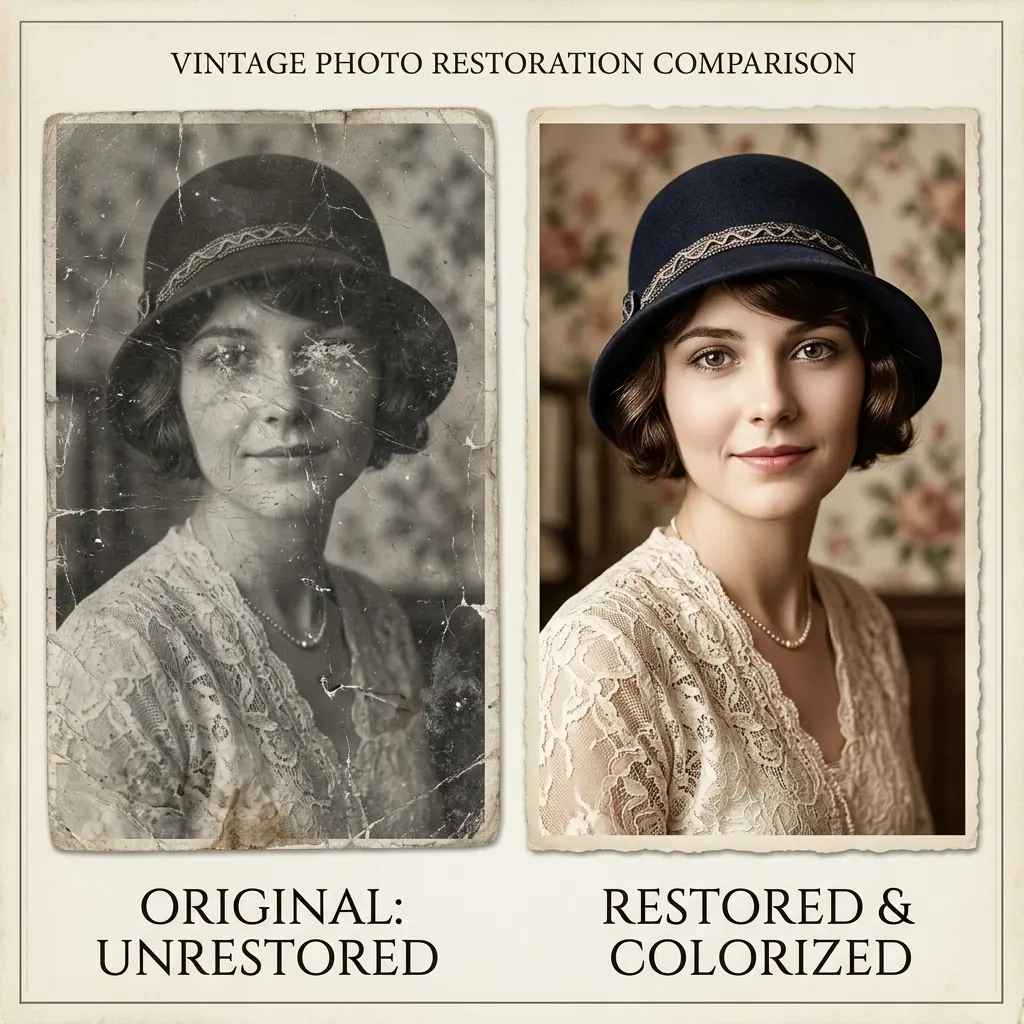
Portrait Restoration

How to Fix Blurry Faces
in Old Family Photos

Restore lost facial features, remove pixelation, and enhance out-of-focus portraits from vintage prints with natural details.

Comparison showing blurry face restored to high clarity

Enhancement Tips

Facial
Details

  • Keep facial structures realistic without artificial smoothing.
  • Target low-resolution scans and out-of-focus family portraits.
  • Combine facial restoration with scratch removal for a complete repair.
The Problem

Why Faces in Old Photos Turn Blurry

Faces are often the most important part of any family photograph, but they are also the most prone to losing detail. Old camera lenses, camera shake, low-light film grain, and physical decay can all cause faces to look blurry, smudged, or pixelated.

When standard digital sharpening tools are applied to these areas, they often just amplify the grain and noise, making the face look harsh and unnatural rather than restored.

AI Restoration

How AI Facial Reconstruction Works

Modern face restoration uses specialized generative neural networks trained on millions of high-resolution portrait photos. Instead of just sharpening existing blurry pixels, the AI understands facial geometry—where eyes, lips, and hair textures should be.

It reconstructs these details intelligently, restoring realistic skin textures, eye clarity, and hair definition while keeping the subject's original expression and likeness intact.

Step-by-Step

Steps to Restore a Blurry Portrait

To get the best quality facial restoration for your historical archives, follow these steps:

  1. Scan the photo at a high resolution. Make sure the face is clean and dry.
  2. Upload the file to the FixMyPhoto Studio.
  3. Choose the 'Unblur Image' or 'Old Photo Restoration' tool.
  4. Let the AI reconstruct the face, then use the slider to compare details before exporting.
Best Practices

Avoiding the 'Uncanny Valley'

A common pitfall with AI face enhancers is over-smoothing, which makes people look plastic or artificial. FixMyPhoto's models are calibrated to maintain a balance between restoring detail and preserving vintage film grain.

This ensures that while the face becomes sharp and clear, it still looks like an authentic old photograph, retaining the historic character of the print.