Restoration Guide

The Complete Guide to
Old Photo Restoration

Learn the best practices, techniques, and modern AI tools to repair, preserve, and restore damaged, faded, and blurry vintage photographs.

AI Restored family photo archive

Inside This Guide

Preserving
Your History

  • Learn how to digitize prints safely without causing further wear.
  • Understand what AI can and cannot restore automatically.
  • Step-by-step guidance for scratch, face, and color correction.
Introduction

Why Photo Restoration Matters

Photographs are the physical vessels of our family histories, but paper and film deteriorate over time. Humidity, sunlight, and handling cause fading, chemical staining, and physical tears.

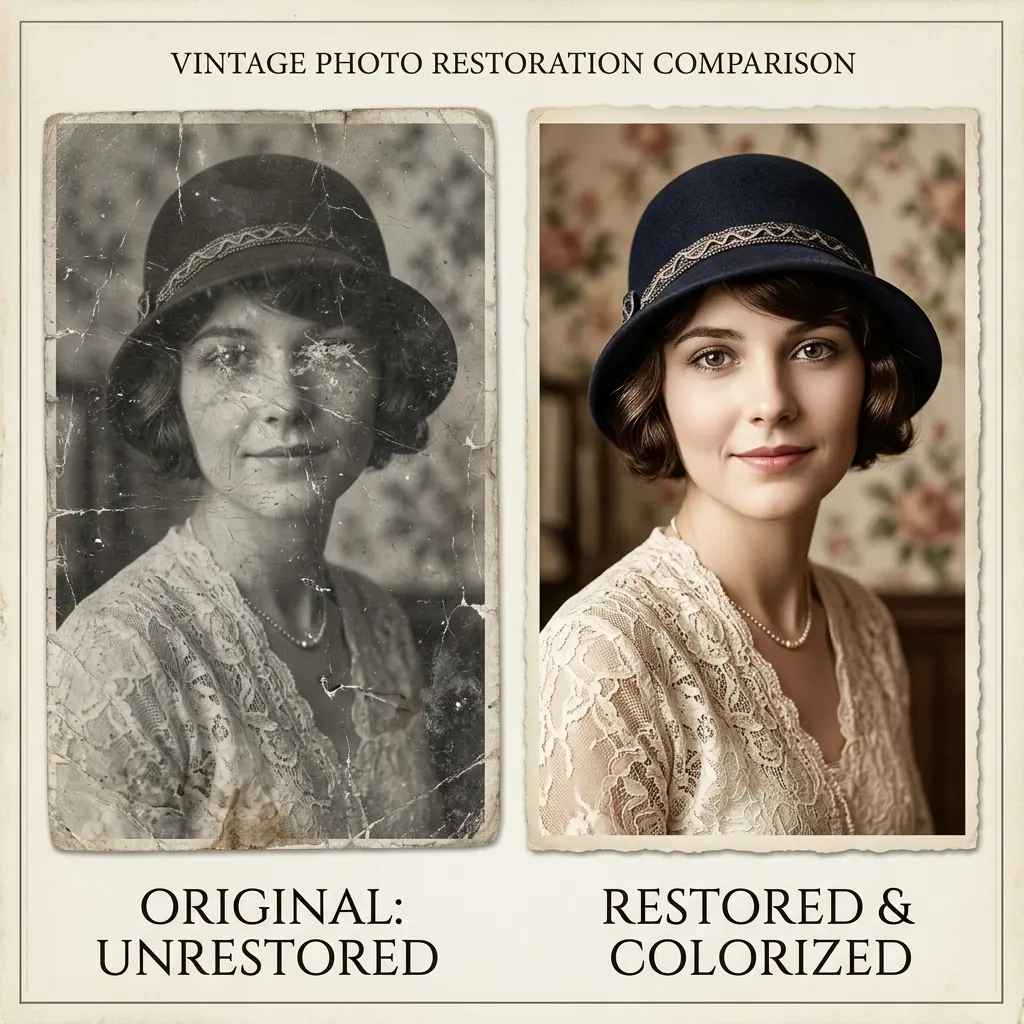
Modern digital restoration allows us to repair these damages without altering the original physical print. By combining proper digital scanning with advanced generative AI, we can breathe new life into heirloom photos and preserve them for generations to come.

Step 1: Digitization

How to Properly Scan Old Photos

Before any restoration can begin, you need a high-quality digital copy. Avoid using simple phone camera snaps if possible, as reflections and lens distortion can ruin fine details.

For best results, use a flatbed scanner set to at least 600 DPI (dots per inch) for standard prints, and up to 1200 DPI for smaller snapshots. Save the file in a lossless format like TIFF or high-quality PNG to preserve the full dynamic range of the original image.

Techniques

The Three Pillars of Digital Restoration

Restoring a damaged photo typically involves addressing three distinct issues: physical damage, clarity loss, and color degradation. We have created specific in-depth guides for each area.

First, physical damage like folds, scratches, and water stains requires intelligent pixel restoration. Second, blurry or pixelated details—especially faces—must be enhanced. Third, faded or monochrome images need color correction and coloring.

Detailed Guides

Deep Dive into Restoration Topics

To achieve professional results, check out our specialized step-by-step guides targeting specific restoration challenges:

  • For removing crease lines, cracks, water damage, or mold stains, read our guide on Scratched Photo Repair.
  • For restoring out-of-focus, blurry, or low-resolution family portraits, see our guide on Fixing Blurry Faces.
  • For bringing vibrant, historically accurate colors back to black-and-white or faded prints, view our guide on Colorizing Old Photos.
Technology

How AI Accelerates the Workflow

Traditionally, restoring a single damaged portrait took hours of meticulous clone stamping and brushwork in Photoshop.

FixMyPhoto uses advanced neural networks trained specifically on historical photo degradation. The AI can instantly isolate dust, fill in missing paper fibers, and reconstruct facial features with natural textures, reducing hours of manual labor to a single click.